Buying a business is a major milestone, but for many new owners, social media quickly becomes one of the most confusing and stressful parts of the transition.
If you’ve purchased a business and found yourself locked out of Facebook or Instagram, unsure who owns the Meta Business Manager, or overwhelmed by requests for logins, permissions, or two‑factor authentication, you’re not alone. Social media ownership issues are one of the most common – and least anticipated – problems new business owners face after settlement. Especially when we see the business we’re buying have high/successful Follower counts!
At Social Ocean, we regularly support new business owners across Australia – including Redcliffe and the Moreton Bay region – to recover, untangle, and properly secure their social media and Meta business accounts so they can move forward with confidence.
When a business changes hands, its digital assets don’t always transfer cleanly. Especially with social media.
We frequently see situations where:
What looks like a “simple login issue” often turns out to be a structural ownership problem that requires careful recovery and verification.
Over the past year, Social Ocean has assisted multiple new business owners – each with very different social media access challenges.
In one case, issues stemmed from a combination of simple setup errors and limited communication during the sale. As a result the new owner started renaming existing accounts after rebranding without understanding the importance of naming conventions, created duplicate social accounts by accident and got tangled up with syncing issues between wrong/right accounts and platforms. By mapping the accounts out, and identifying ownership and access of each was integral to the final solutions.
In another, the business had been granted access through multiple pathways over time. Initially though the new owner didn’t understand how Meta permissions, security checks, and two‑factor authentication worked together across multiple email accounts and dashboards. It made the process feel overwhelming and impossible to finalise – so it had been left only partially completed. Another team member had successfully gained Business account ownership, but the owner themselves were lacking overall ownership and access, leaving them vulnerable.
In a third situation, access to the Meta Business account had been left with a junior staff member when the business was sold. This left new owners unable to access and transfer correct ownership at all, which meant they couldn’t properly access to manage or own their own Meta assets. Using a business email login was the only way to log in with the lowest editing access option and they were left with complete inability to schedule anything.
And another business, the accounts had been hacked.
Each scenario required a tailored approach — but all shared one thing in common: the new owners had inherited systems that were never designed for clean ownership transfer. And over the years, the variety of problems we’ve assisted with is even more vast.
Your social media accounts are not just marketing tools, they’re business assets.
Without proper ownership and control, your business may be exposed to:
Ensuring your Meta Business Manager and social media accounts are correctly owned, secured and documented protects your business now and makes future growth, staffing and succession far easier.
Based in Moreton Bay, Queensland and supporting clients across Australia, Social Ocean specialises in supporting new business owners through social media and Meta account recovery by:
We translate complex systems into plain English and provide calm, practical support at a time when business owners are already juggling a lot.
Bought a Business and Unsure Who Owns the Social Media Accounts?
If you’ve recently purchased a business – or are in the middle of a transition – now is the time to make sure your social media and Meta accounts are properly set up and fully under your control.
If you’re in the middle of a transition, our advice is to complete handovers prior to the end of communication with the Seller, in the presence of the Seller or their representative. It’s not good enough to trust the Seller when they say, “Yes – it’ll be done for you, no problem”, because business owners aren’t necessarily equipped with the skills to know how to help complete the process.
Social Ocean supports new business owners across Australia, including Queensland and the City of Moreton Bay, to transition access, secure ownership of the Meta accounts and move forward with confidence.
Get in touch with Social Ocean today to discuss social media and Meta Business account access support.
There’s no denying it – Squarespace websites are pretty.
They’re clean, fluid and stylish straight out of the box. The modern layouts, smooth scrolling effects, and clever use of white space give the impression of a professionally designed site even when they’re built from templates.
As a web designer, I get it. I’ve admired these visual effects – especially the way images fade in, and how fonts glide and curve across pages, and how easy it is to make something look instantly polished.
But beneath all that visual appeal lies a reality most business owners don’t realise until much later: Squarespace’s beauty comes at the cost of performance and control.
And when a business needs more than a digital brochure – if it needs a fast, findable and flexible website that grows with your goals – you’ll quickly run into limitations.
So if a business owner comes with a request to me to build them a Squarespace site, I wouldn’t say yes. What I would do, is explain why that shouldn’t be their choice of website builder, and help them to understand that performance over visual trends will always be better.
Here are the three biggest issues I’ve experienced time and time again, when clients with existing Squarespace sites come to me for help.
Squarespace sites are often slower to load than those built on WordPress or Wix. That’s because the platform uses a shared hosting environment. This means your site runs on the same server setup as thousands of others, with limited optimisation options.
You can’t add speed-enhancing plugins, compress images beyond their defaults, or fine-tune caching and CDN settings. It’s all locked behind the platform’s walls.
Even the most beautiful website loses its shine if visitors leave before it loads. Google research shows that users start dropping off after just three seconds on a site that loads slowly, and site speed directly affects your SEO ranking.
By contrast:
WordPress lets you choose your own host, optimise images, and install performance plugins.
Wix has improved dramatically, with automatic image compression and built-in caching.
Squarespace? It looks good, but moves slow.
Squarespace is built for simplicity. It’s why it’s been popular with “designers” who value visual over performance, or lack in website development awareness. This simplicity limits your ability to fine-tune important SEO and performance settings.
It also flags to us that your designer, may not have digital marketing skills.
If you want to adjust or customise technical settings like:
Custom schema markup (This helps search engines understand what your content is (product, event, article, review) and display it attractively in results with rich snippets that boost click-through rates).
The robots.txt file (This tells search engines which pages to crawl and which to skip. Managing this ensures only your best, customer-facing pages appear in search results).
XML sitemaps (This acts as a road map to help Google find and index your pages faster especially new content and blog posts).
Canonical tags (Prevents duplicate content issues by telling Google which version of a page is the “official” one).
These small but powerful tools make a big difference in how your site performs in search engines.
Squarespace automatically creates them for you – but doesn’t let you edit or refine them. That means your SEO strategy is stuck at the beginner level, no matter how strong your content is.
By contrast:
WordPress gives you full control with plugins like Yoast SEO or Rank Math.
Wix provides structured data options, meta tag editing, and sitemap controls right in the dashboard.
Squarespace’s “locked box” approach is great for beginners, but frustrating for anyone ready to grow.
Squarespace offers a handful of SEO basics — like editing page titles, meta descriptions, and URLs. That’s fine for getting started, but advanced SEO needs more.
Here’s how Squarespace compares with Wix and WordPress when it comes to SEO tools and flexibility:
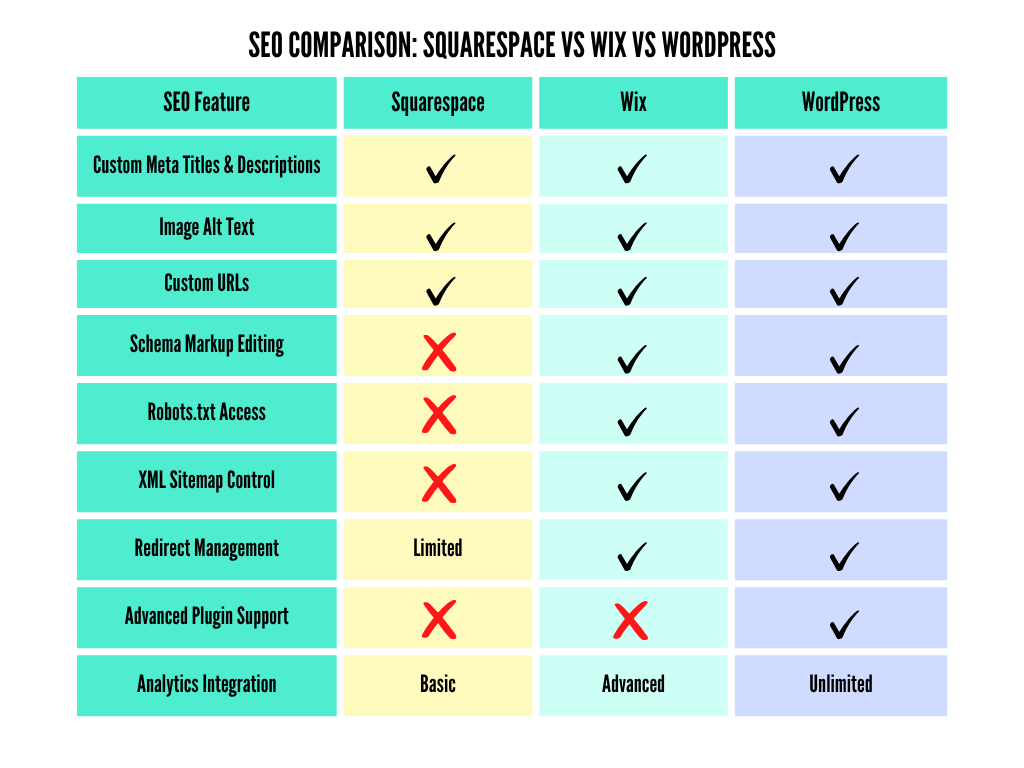
Squarespace covers the essentials, but it doesn’t scale well when your marketing strategy becomes more data-driven. WordPress and Wix both provide the depth and adaptability needed for businesses that care about long-term SEO results.
Squarespace wins on style, but WordPress and Wix win on substance.
If you’re running a small creative business or a simple online portfolio, Squarespace can be a great start. But when you’re ready to grow — to rank higher, attract more customers, and build a site that performs as well as it looks — you’ll need a platform that gives you freedom, flexibility, and room to evolve.
Curious about the speed of your website? Run a check on your website via Google PageSpeed Insights. It will also give you a list of improvements to make across your site to help the users experience.
We’re updating several areas of our own site, and using this checking system to help keep us on top of our game too.
At Social Ocean, we create websites that are just as visually stunning as they are technically strong. Whether you’re ready to move on from Squarespace or want to optimise your existing site, we can help you design a platform that works harder for your business – fast, flexible, and built to be found online.
👉 Let’s chat about your next website. If you’re ready to move your website to a more powerful platform, our Design services might provide the solution.
Searching for a February 2026 social media calendar in Australia?
This month may be short, but it’s full of opportunities to connect with your audience. From Valentine’s Day to World Cancer Day, there are plenty of occasions that help you balance meaningful awareness content with lighter, fun moments. Social media dates are a quick way to reduce the stress of planning, while keeping your feed fresh.
Whether you’re a small business, a charity, or a content creator, planning ahead with a calendar like this will give you confidence. Scroll below for the complete list of February 2026 dates. We’ve given some additional context to some dates, as well as used others for prompts you could make your own.
Want to know how to use this month’s dates?
There are plenty of dates to help inspire you and balance out serious content with fun and quirky – yet still quality – ideas.
We’re often missing some fun and laughter within the seriousness of business or impactful charity work, and some of the dates found in this month could help with this. Read through the list of dates and pick out the ones that immediately make sense to your work. They’ll be easy to tie into your content planning. When it comes to well-known days across the year, an acknowledgement post might be obvious, but thinking outside the box could spark an entire blog or awareness piece.
💡 Tip for specialty industries: If you work in a trade or profession with an Australian governing body, it’s always worth searching for your industry’s specific awareness calendar as well. Those specialist dates aren’t included here, but they can be a goldmine for relevant, high-impact content.
Generating bigger, more substantial content brings more benefits than just showcasing thought leadership – it can greatly assist your website SEO, which Google loves! And when it comes to the fun stuff, take the lead and let those quirky dates spark creativity in your team too.
Remember, you don’t always need to include a sales push in every post. But if you can tie some of this month’s dates to your services or products, give it a crack. And if it all feels a bit whimsical, join a Social Ocean content creation workshop to build your confidence and upskill at the same time.
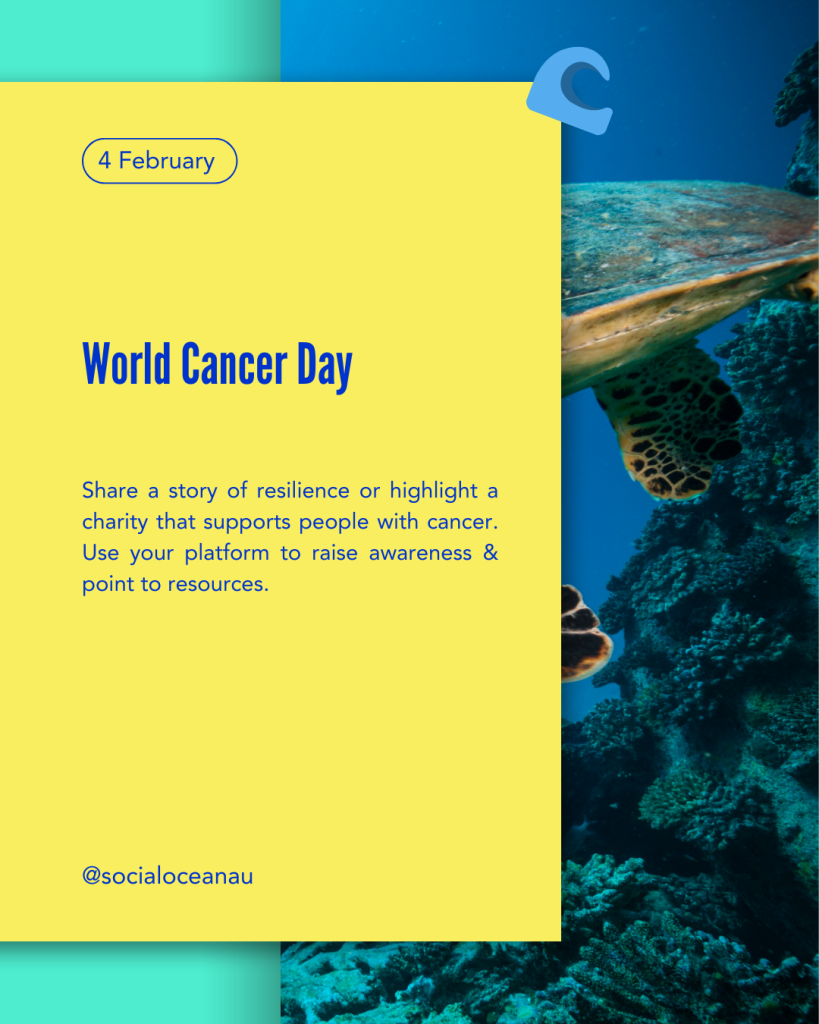
World Cancer Day (Awareness): Share a story of resilience or highlight a charity that supports people with cancer. Use your platform to raise awareness and point to resources.
Don’t Cry Over Spilled Milk Day (Fun/Quirky): Share a light-hearted ‘oops’ moment from your business journey and what you learned from it. Invite your audience to share theirs too.
Valentine’s Day (Awareness): Flip it business-style: post about what you love most about your clients, team, or community. Include photos or testimonials for extra warmth.
Need help turning awareness dates into actual content? Book into a Social Ocean workshop and we’ll show you how to build posts that engage, not just fill space. Plus, don’t forget to sign up to our newsletter for the monthly dates list direct to your inbox.
Looking for March 2026 social media dates in Australia? March marks the start of autumn and brings with it a mix of serious awareness days and fun, quirky holidays.
This month includes International Women’s Day and Harmony Day, both powerful opportunities to connect with your audience. It also includes International Day of Awesomeness and Mario Day, perfect for light-hearted content. For businesses and charities alike, a monthly social media calendar is one of the easiest ways to plan smarter and create engaging content.
See below for the complete March 2026 list. We’ve given some additional context to some dates, as well as used others for prompts you could make your own.
Want to know how to use this month’s dates?
There are plenty of dates to help inspire you and balance out serious content with fun and quirky – yet still quality – ideas.
We’re often missing some fun and laughter within the seriousness of business or impactful charity work, and some of the dates found in this month could help with this. Read through the list of dates and pick out the ones that immediately make sense to your work. They’ll be easy to tie into your content planning. When it comes to well-known days across the year, an acknowledgement post might be obvious, but thinking outside the box could spark an entire blog or awareness piece.
💡 Tip for specialty industries:
If you work in a trade or profession with an Australian governing body, it’s always worth searching for your industry’s specific awareness calendar as well. Those specialist dates aren’t included here, but they can be a goldmine for relevant, high-impact content.
Generating bigger, more substantial content brings more benefits than just showcasing thought leadership – it can greatly assist your website SEO, which Google loves! And when it comes to the fun stuff, take the lead and let those quirky dates spark creativity in your team too.
Remember, you don’t always need to include a sales push in every post. But if you can tie some of this month’s dates to your services or products, give it a crack. And if it all feels a bit whimsical, join a Social Ocean content creation workshop to build your confidence and upskill at the same time.
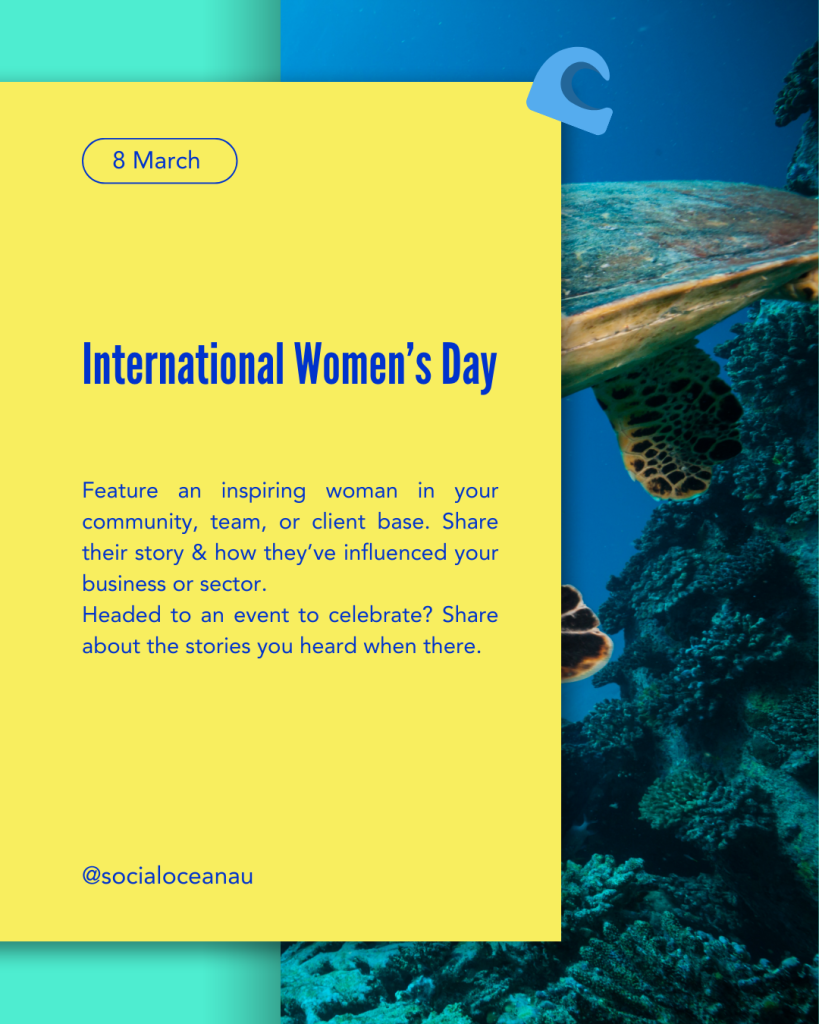
International Women’s Day (Awareness): Feature an inspiring woman in your community, team, or client base. Share their story and how they’ve influenced your business or sector.
Harmony Day (Awareness): Post about how cultural diversity shapes your work, audience, or events. Invite your community to share their own perspectives.
Mario Day (Fun/Quirky): Create a playful post with a ‘power-up’ theme: what gives your business a boost? Use gaming-inspired icons for fun.
Ready to plan your content with confidence? Join our newsletter to receive the Social Media Dates list every month, plus Ocean Network and Ladies Who Long Lunch events. Or chat to us about running a private workshop for your business or charity team.
Looking for a social media calendar for January 2026 in Australia? You’re in the right place. This month kicks off a fresh new year and is packed with opportunities for businesses, charities, and content creators to engage their audiences. A social media calendar helps you plan posts around public holidays, awareness days, and fun dates so your content feels timely and relevant.
January includes important occasions like Australia Day, as well as global observances such as Data Privacy Day. These dates are ideal for weaving in thoughtful messages, industry insights, or simple engagement prompts. For micro-business owners and charities managing their own marketing, using a calendar like this is one of the simplest ways to reduce stress and keep your content flowing.
Scroll through our full list of January social media dates below and start planning your month with confidence. We’ve given some additional context to some dates, as well as used others for prompts you could make your own.
Want to know how to use this month’s dates?
There are plenty of dates to help inspire you and balance out serious content with fun and quirky – yet still quality – ideas.
We’re often missing some fun and laughter within the seriousness of business or impactful charity work, and some of the dates found in this month could help with this. Read through the list of dates and pick out the ones that immediately make sense to your work. They’ll be easy to tie into your content planning. When it comes to well-known days across the year, an acknowledgement post might be obvious, but thinking outside the box could spark an entire blog or awareness piece.
💡 Tip for specialty industries: If you work in a trade or profession with an Australian governing body, it’s always worth searching for your industry’s specific awareness calendar as well. Those specialist dates aren’t included here, but they can be a goldmine for relevant, high-impact content.
Generating bigger, more substantial content brings more benefits than just showcasing thought leadership – it can greatly assist your website SEO, which Google loves! And when it comes to the fun stuff, take the lead and let those quirky dates spark creativity in your team too.
Remember, you don’t always need to include a sales push in every post. But if you can tie some of this month’s dates to your services or products, give it a crack. And if it all feels a bit whimsical, join a Social Ocean content creation workshop to build your confidence and upskill at the same time.
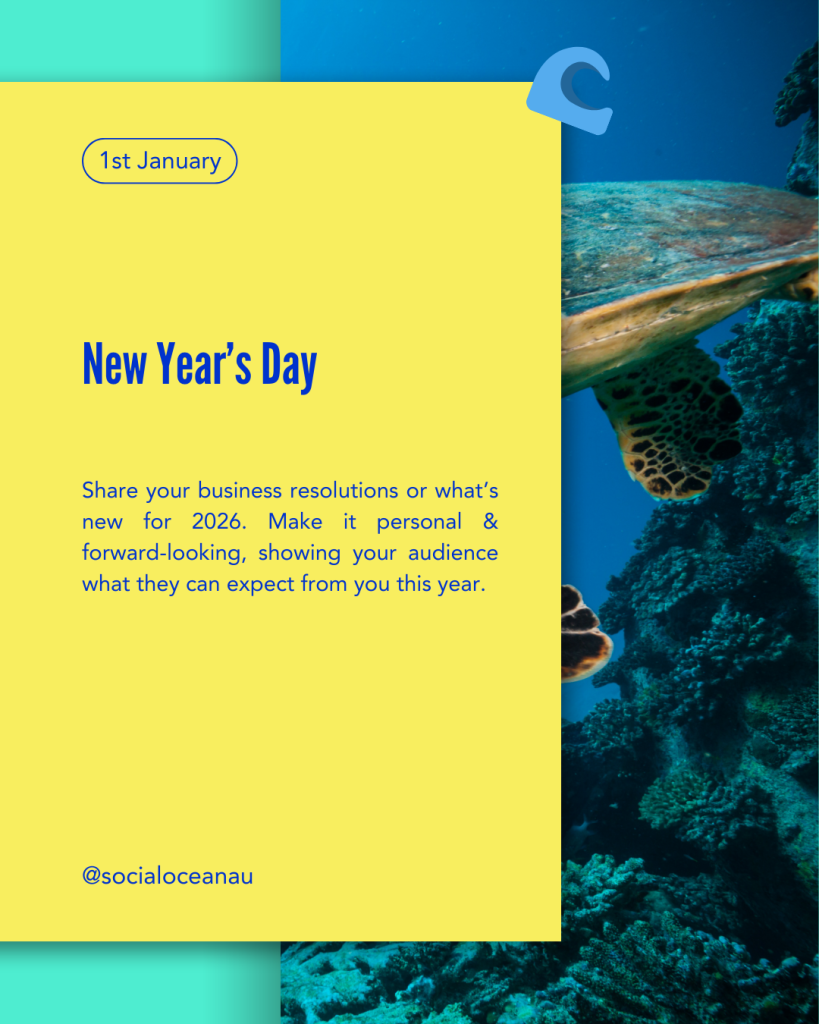
New Year’s Day (Awareness) – Share your business resolutions or what’s new for 2026. Make it personal and forward-looking, showing your audience what they can expect from you this year.
Make Your Dreams Come True Day (Fun/Quirky) – Encourage your audience to post about their goals and share one of your own. Use it as a motivational moment to connect.
International Day of Education (Awareness) – Highlight your role as an educator in your industry. Share a practical tip or piece of advice that your audience can put into action right away.
Want more ideas like this?
Subscribe to the Social Ocean newsletter and get a fresh list of social media dates in your inbox each month, along with special event news about The Ocean Network, Ladies Who Long Lunch and special opportunities.
Instagram formats and features continue to evolve, allowing a broader range of image ratios beyond the classic square. Over time, IGTV transformed into Video, Reels became the dominant format, and grid previews shifted away from 1:1 to taller aspect ratios. Squares are still supported, but portraits now command more real estate, engagement, and visual impact.
If you rely on visual content—photos, static posts, Reels, or Stories—it’s essential that your templates and designs use the correct pixel sizes. A mis-sized image can appear blurry, cropped, or shrunk, hurting both brand credibility and engagement.
Use our 2025 Instagram image sizes (below) to make sure your published posts are looking sharp.
Enter the pixel sizes into Canva’s custom sizing or create your own digital templates with Adobe or other software.
Here are the latest Instagram imagery sizes.
Instagram now supports multiple aspect ratios in the feed. This might sound strange, but if you’re designing your posts instead of uploading photos, create templates of your preferred size.
DESIGN TIP:
Instagram’s profile grid previews now default to cropping portrait posts to 3:4. Use the 3:4 format when possible or leave safety margins when using 4:5 to prevent important details from being cropped off. When creating Carousels, every slide must be the same size too.
This is main Instagram image that will be seen in more places than your own Instagram Profile.
Your profile image should be square, with a minimum resolution of 320 × 320 px. Many brands choose 400 × 400 px for extra clarity (including us here at Social Ocean),- it will display inside a circular frame, so centre the logo for best visibility.
If your logo doesn’t already fit within a square, ask your designer to provide you with an option that will fit. This will be handy for all social media profiles.
Or make your own. Put your logo on an all white background – centre the logo to a solid white square shape – leave plenty of white space around the edges of the logo. This is what lets you zoom in and out when working inside the logo uploading tool.
If you have a personal brand, read our great tips on how to select your personal profile photo on our blog 5 Profile Photo Tips.
Stories are available to be seen via the profile image on both your Instagram and Facebook business accounts if you have them synced.
Stories artwork for Instagram or Facebook platforms use the same size. You may have other repurposing opportunities for other digital platforms. Although they aren’t great for wide viewing like on YouTube.
You can stitch together still images, graphic designs and videos to create Instagram Reels. Once you have any of these elements, you can create a Reel via the Instagram app on your phone or using different apps.
Ensure you take video on your phone vertically. If you record video clips with your phone held sideways, your Instagram videos on both Facebook and Instagram will no longer be optimised. Images and video for Reels should be the tall slim rectangle orientation.
DESIGN TIP:
If you suffer from fat fingers, you can always upload your files into Canva and build Reels there.
Using the right image dimensions:
Designing templates in Canva or Adobe with these sizes built in saves time and protects your visual integrity.
Social Ocean offers done-for-you graphic design services that include Instagram templates sized for all your visual content — feed posts, carousels, Reels, profile assets, and Stories.
Purchase premade social media quotes for your social scheduling here.
If you need help to create or update your social media images for Instagram or any other platform check out our Graphic Design options.
Check out our blog 5 Profile Photo Tips for guidance on choosing the perfect profile image that fits inside your new templates and represents your brand consistently.
Creating Intellectual Property (IP) in a business is incredibly important. Your IP helps to both stand out in your market, and result in making money. But making money is generally an outcome of first building community and trust.
So how do you go from having an idea – creating the IP – to selling that idea and bringing money in?
What’s more, if your market is flooded with similar solutions and there’s lots of messaging about your topic, where do you start?
Start with building your community. A community can exist in different ways: online or offline, geographical, industry-based, have broad demographics or a refined private or niche identity.
Initially building a community from clients, networking and industry connections, contractors and suppliers, friends, referrers and collaborators makes sense. It’s also easier as these connections will already know your capabilities and trust you.
What they all have in common, is that they collectively make up your community already. You don’t need to seek them out – but you do need to formalise how you communicate with them. That might be digital communications like email, or as simple as posting regularly on social media.
Importantly if something happens to a part of your existing community, and engagement or support seems low, it’s likely you’ll maintain the others and they’ll pick up engagement according to your activity.
A communication strategy is key for you to sell in the future. It’s also an excellent way to mass-communicate information, education, support, offers and awareness. Adding names to a “list” is a portion of the marketing mix that is generally put in the too hard basket, and therefore becomes an untapped resource to many businesses.
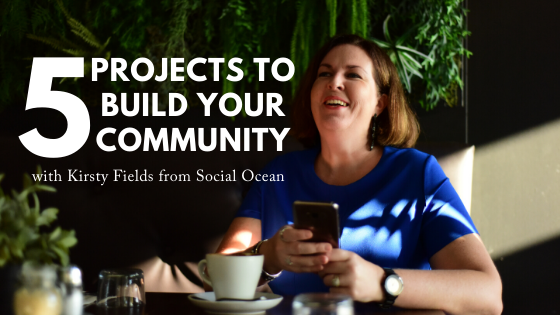
Here’s five small projects to launch to help build your community further. They all offer a way to formalise and grow the “list” of contacts, let you create mini strategies to practice communication, and build on (and expand) your supporter-base outside of those you know.
Each one of these ideas can introduce simple technology to capture information from your community if you haven’t done so before. This can turn any of these projects into a new community group to connect with as a smaller group, or move them to your wider, broader community.
If you used all five of these projects, you’ll have impactful outcomes and cater to a variety of interests.
Creating freebies are perhaps the easiest of the lot! Sending your freebie out via a sign-up scenario means you capture an email address as a minimum.
Popular freebies include E-Books, webinars, podcasts, tools like calculators, discounts, printables or mini versions of a service/product like an audit or consult.
Save your work in easily accessible formats e.g. PDF files, downloadable Zip folders or links to hidden pages. Creating hidden pages on your website, giving access to a reader after they submit contact information allows you to communicate with them in the future. It’s also preferable to users wanting to download your freebie.
If your item is designed for at-home printing, consider what countries the user may live in. For example the USA still uses Letter page sizing. You may want to provide freebies in multiple sizes for this purpose.
Pop up Facebooks are a great idea to contain a small group to WOW new people to your community, service them with some education or access to freebies and a supportive community. It also allows you to entertain them, provide great service from you or your team.
It also provides a closed area for you to market directly to them.
The key to success with Facebook groups is brand-relevant visually appealing and professionally structured content. Your time and effort needs to go into the group before it’s populated, allowing you to turn up Live instead of the stress of daily content creation. This is never fun!
Don’t delete your Pop Up group once the original purpose has run its course. Reuse the group repetitively, as you’ll find those who valued it the first time (plus those who may not have given their full attention, or needed better timing), won’t leave of their own accord. That allows you to add to your group quarterly or half-yearly with a membership number that impresses the viewer.
Short-term challenges can be great fun and you can pick up new fans or followers with savvy social campaigns when you run them.
In terms of building community online, challenges or short term activities draw fast interest and allow new fans to learn new and interesting details about you/business.
Just like any other campaign you run, lead-in time is everything! Promote it for a few weeks organically before day 1 to maximise numbers. Your email communication should be short, sharp and clear across the time of the challenge with your own example included each day.
Having people sign up to your challenge means you can communicate with them each day of the challenge and really expand details about what everyone needs to do. It also lets you add key information that participants need to know – as well as giving you cross-promotional opportunities.
Think hashtags for engagement, cross-platform participation with Instagram posts and Stories/Reels, and entertainment all the way.
Remind participants with scheduled email campaigns. Create these elements in advance so participants are reminded daily. This is really important as they may have signed up to your challenge some time back so will need reminders before it starts.
Selecting daily winners from participants is a great draw card, as is a collaborative challenge.
You can also run a short-term challenge in a Facebook group – or create a Pop Up Facebook group for this purpose.
We run small but low-priced workshops regularly. The feedback we receive from clients is that they enjoy and appreciate an intimate gathering of like-minded people.
It allows for a personalised approach, but also allows you to maintain a low budget in areas including venue, catering and print/marketing collateral requirements.
To secure the number of guests you need, follow an event plan rolling out over a 10-12 week period.
This is an ideal time frame to rollow out and publish a variety of events marketing information. Start immediately after you launch ticket sales and continue through to the date of the event.
This allows you to run one per quarter as part of a regular onboarding process. And don’t forget, this event could be a digital event with video conferencing or Live video in a private group setting.

If your event charges premium options only, then a bespoke private event is more likely to hit your target.
Along with allowing a higher price point, bespoke events generally offer an impressive location, experiential features, and membership options as part of the bonus package and are a big hit with women in particular.
Think retreats – spiritual or corporate in nature – providing elements that may be perceived as difficult to organise in a day to day circumstance, or that may be considered luxurious.
Include ticketing add-ons and offer varied pricing structures. Snagging guests early means you could sell out quicker with “early bird” options. And providing higher price tags for a distinct purpose are attractive and could include things like a VIP gift bag, meet the speakers or special access to additional experiences on the day.
The activity of community building can be a quick flash in the pan experience, that doesn’t take long for the audience to decide that you’re worth hanging around. But as part of a strong content marketing strategy it’s inevitably a long game and requires patience.
However, delivering on engaging activities that show reward or results to your community members are marketing activities a company can undertake for longevity. Yes it takes a long time to build a huge list. But once you’re in the hang of it and you include it in your activities, and regularly include your database, you’ll see the results.
It’s important to note these ideas are based on social media or events activities. These are areas of specialty at Social Ocean, and we get excited about helping clients create unique events, allowing them to start or continue building community. Check out our event services for more details about that.
Combine online activities with face-to-face events for a highly successful mix, that will assist in building your list and create raving fans!

Armed with over 20 years’ experience in the event management business, Kirsty Fields has co-ordinated everything from kids’ events to national sports games. After a successful career in sports, she embraced modern marketing and promotional techniques.
Her passion for training clients in social media, digital marketing and branding has been combined to present her multi-award winning business Social Ocean a bespoke events marketing agency.
Kirsty’s experience in event management and coordination, and the small business space, backed by her passion for marketing, makes her an ideal source for all things related to events, small business, marketing, social media and branding.
You can find a list of podcasts Kirsty has been featured on, on our About page.
This article was originally posted to the Words of Bek blog as a Guest Blog in 2019 by Kirsty Fields. Words of Bek is the namesake website by Writer/Author Becky Paroz for her book by the same name. The article has since been updated for currency to this publication.
To follow along with Social Ocean, and for regular tips and tricks, join them on:
Facebook | Instagram | LinkedIn | Pinterest
Business Awards Season is such an exciting time in your life, journey and path to career success. Being nominated for an award confirms and builds your confidence of what you get out of bed to do each day. It’s exciting!
The benefits of participating in awards season is constant. You have the ability to leverage awards for years to come!
I’ve won significant awards throughout my career and made it to Finalist shortlists in others. I still reference these milestones – or leverage them – as they provide excellent social proof of your skill set and business capabilities.
The truth is people don’t get nominated for awards, become a Finalist or Win awards without first doing the work. Although it seems many people reap the benefits – they didn’t submit a piece of paper and get a piece of crystal for nothing.
If you’re one of the people who’s name appears on a shortlist right now – congratulations! Congratulations on submitting an application or for your nomination (or both). You deserve it. You should be proud. But most of all, you should be letting the world know about it.
For those of you who are savvy enough to have had help with writing your applications, I also applaud you for making that investment. You are likely to understand what a wonderful marketing/PR opportunity a Business Award can be for your career and the business.
Once your name gets printed on the ballot paper, so to speak, there’s a list of other actions you should do to support the nomination. After all, the judges are not likely to have heard of you before reviewing your submission. Depending on the Award system, there will be further steps the judges will take.
They’ll like do their research. Complete their due diligence. Look for project evidence or social proof. Particularly for Awards presented by Industry Bodies, Professional Associations or a National level. These trophies aren’t given out like lollies! A submission is not always going to be the only contributing factor in the decision process.
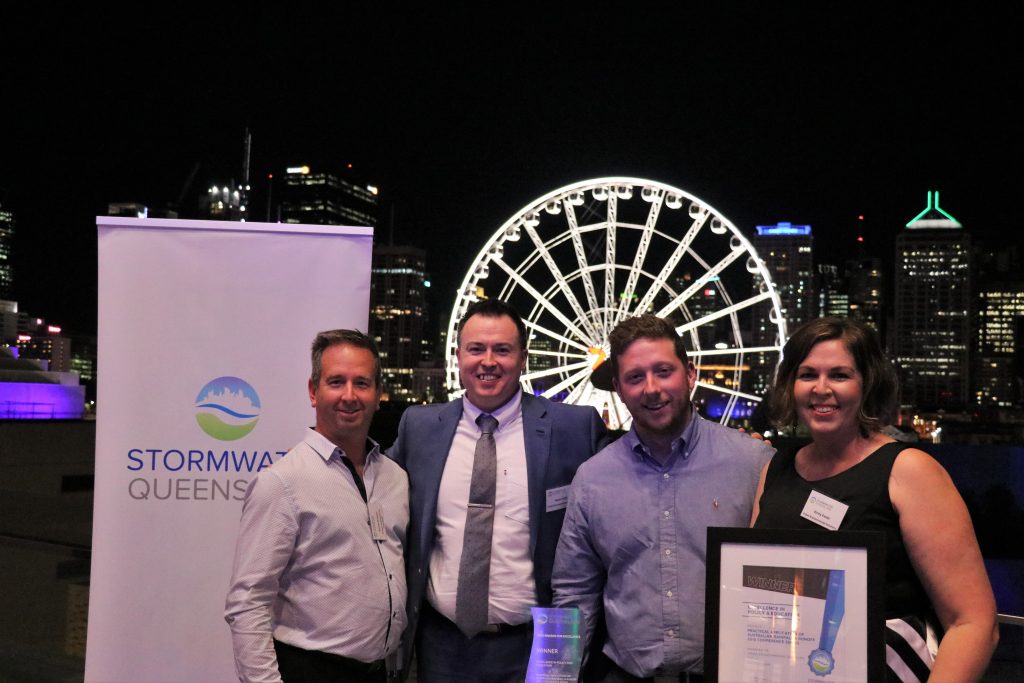
Business Awards with public voting, have a certain level of randomness. Not only is it important you nominate for the right category, but you’ll need to communicate to your community your participation to help get people to cast votes for you.
A lot of people won’t do any – or very little – research before voting for the popular categories. Yet you can put effort into checking off my tips below to turn random selection into educated votes. If you’re participating in one of the popular vote Awards programs like Ausmumprenuer you can help yourself get those Votes in!
Plus, you want to make sure judges are seeing how wonderful you are as they decide who gets their vote. This is on top of those random community casting votes with the categories they don’t have anyone they know listed.
Show us and share with us the proof your application isn’t a fluke – turn up online!
Below are 8 top tips of just some of the many I follow/do myself. Make sure your digital footprint has your best foot forward:
When was the last time you updated your About page or Media section on your website? Keeping these pages up to date with the very latest details is important. With your website potentially being the hub for judges to confirm what they’ve read about you, it’s important.
Be sure to reference projects you may have featured in award nominations. Having a client area, gallery or blog to promote this information, is great way to show this off. By adding this type of detail you can show off #allthethings you do that impress others.
Speaking with a judge from the International Stevie Awards, I was reminded that nomination can have as little as 3-5 minutes judging time. What this means is, if you don’t include further evidence of why you should be a successful nominee that’s all the time you’ll be given. Including an evidence document listing the points where further information can be reviewed is key. And your website is the obvious place for that to be stored.
Highlight your capacity for good and problem solving with your service/product information on your website. With new interest in you and your business, this is a great time to expand the details of your business. Remember new visitors or Followers aren’t aware of your history or how you help others. Share this information as though you’re talking to a brand new audience – because this is what is happening for you.
Have you written any blogs from your own experience or expertise? Do you have some half-written articles, sitting unpublished or as a draft?
A blog is an excellent way to support or highlight your activities. It also serves to educate your community if you’re writing simple helpful information. Which is a great service alone. Engage a copywriter if you need help to polish it off.
Hint: we have an excellent copywriter who can assist you! Get in Touch with us about that.
Give your personal profiles a thorough Audit. Including the social media profiles you keep private.
Review memes and funny questionnaires on your social media feed. Look through who’s tagged you on shared posts, as well as checking privacy settings of mobile uploads and photo albums. You can delete any of these items or consider opening business related posts from private to “Public”.
Social media profiles with cover photos are a good spot to use business branding without being sales oriented. And it doesn’t annoying your private connections with too much work chatter. Use an image that aligns with your branding,business name, services or products.
Choose a fabulous smiling profile photo of YOU on your personal profile is important. Even if you aren’t a fan of showing your face on private social media profiles. During the awards season – if not always, is easy enough. I recommend a great smiling photo all the time! But if you are only going to use an image of your face during this period of time, make it a great one.
People feel connected to you, and can you by looking at your profile photos. When judges are looking for evidence of your work, they can look in all sorts of places. Put your best foot forward by looking good all over the place!
Write engaging content that has branded imagery is going to show your business off well too. Forget mass-produced memes and quotes. Create them yourself, or get help from a graphic designer!
Use your work, services or products as the base to create your own social media artwork. You can do this easily by adding branded font to your photos. Or take your own quotes, catch-phrases or business language and make your own #quoteoftheday.
Hint: we have an excellent designer who can assist you! Check our design services here.

Think about what samples you mentioned in the nomination process. Talk about these and others that are similar throughout the period of judging in your content strategy. Discussing those examples that are relative to the categories you’re nominated for is clever. The trick is not to mention the awards connection at the same time in these posts. Put them into your posting schedule as though you were due to talk about them.
The fact you’re up for an award is great and you should be talking about it. But specific posts talking about award nominations is another type of post (see next tip). Leaving out mentions of your award participation can be as clever as including it.
Talk about those Awards! Use promotional material from the Awards like the logo, event listings and use them yourself. Add photos to share how blessed and excited you are! Also mention the work you’ve been doing to get to this point of success. When you share your wins, or how it feels to take part, or how humbled you are to share the stage, people get engaged in your journey. Especially if/when you make it to the shortlist or Finalist list.
Give us #allthefeels about you in this Awards program.
As you draw closer to the business awards announcement day, put in place a new social media campaign. This should be all about promoting your inclusion in the awards line-up. If you aren’t feeling confident in how to create a specialised campaign, book in for a social media workshop with our team to help you.
Good luck to all our friends, clients and connections who are currently nominated. I’ll vote for you where possible – and look forward to seeing how you go for the rest of the year.
Social Media is a foundation of business marketing. We use it to communicate, promote, engage and build relationships with our customers.
Its trick is that it’s all in the name – social media – it’s meant to be social: fun, entertaining, engaging and interactive. So how can you be these things with a business? It will look different in
your business to another regardless of your niche or industry.
The good news is that finding the balance to be social, whilst using it with a holistic approach to marketing doesn’t have to be confronting, confusing or pushed to the ‘too hard’ basket.
Use my top tips below to find the sweet spot of your branding with a social tone that your audience will be attracted to, whilst driving traffic to your website.

Clients always tell me they don’t want to show their face. Practice your smile in the mirror and just do it! Those who love your brand want to engage with you, so let them. If you have staff, share that spotlight around and include them in your stories and photos.
Look at what’s ahead each quarter as you’re likely to be inputting dates in this timeframe. Make note of events, promotions or activities that are on. Identify which ones you can leverage and set deadlines to write blog content to stand out from the crowd. Repurpose your blog on all platforms.
If you don’t host events or promotional campaigns, you can use industry calendars or social media dates the same way as using your own business calendar.
Set aside a couple of hours each month to write and schedule content or add to a spreadsheet for reference. Being persistent with social media is a game-changer! Layer batched content with photos and videos to add the fun in. I often see businesses focusing too much energy and budget on it instead of working it into their communication processes and overall strategy.

Kirsty Fields is Creative Director and Owner at Social Ocean, a marketing agency specialising in social media training for business owners and corporate events.
Harnessing social media for business from the very beginning, her passion is training clients in social media, event marketing and branding and seeking out unique event opportunities to promote her clients’ businesses to their communities.
Multi-award winning event manager, Kirsty writes blog articles to motivate and encourage business owners to use social media and improve and leverage promotional opportunities at events. In July, she was named as one of eight Female Thought Leaders by YMag.
Social Ocean was recently named one of 100 Federal Government Small Business Digital Champions project participants.
Social Ocean is everywhere online! Find them where you like to hang out the most: Facebook, Instagram, LinkedIn, Pinterest and Twitter.
Original article published in Issue 12 of Peninsula Life, September-October 2019. Peninsula Life magazine is a dedicated publication for the Redcliffe Peninsula, Queensland.
Kirsty Fields has over 20 years experience in the event management business. She has coordinated everything from kids’ events to national sports games. As an eager student of modern digital and promotional techniques, she has expanded her business into new areas of marketing expertise to offer her clients. She offers many types of workshops to help train companies in social media, digital marketing and branding, and can provide training to accommodate anyone.
YMag caught up with her to interview her for their issue featuring their Female Thought Leaders of 2019.
Below is the full unpublished interview with Kirsty Fields.
YMag – When did you start your business?
KF – My business evolved after a friend contacted me to ask if I could assist the professional teaching association she volunteered for, with their state-wide conference management. That was in February 2017. I was in shock after losing my job as a marketing manager at a private college which came from government changes in tertiary education fees. It was a pretty messy situation and I was still processing it all. At the same time, my husband was in the middle of negotiations for a job in Texas, USA – so I wasn’t actively job hunting. The thought of taking up a job when we were thinking of leaving the country didn’t sit well with me.
Assisting with conference management required me to have my own ABN and as a result of that process, my business was launched. I knew that there would be the inclusion of social media in my business after years of using it for business purposes, though it was quite unclear what it would look like. That was how Social Ocean started.
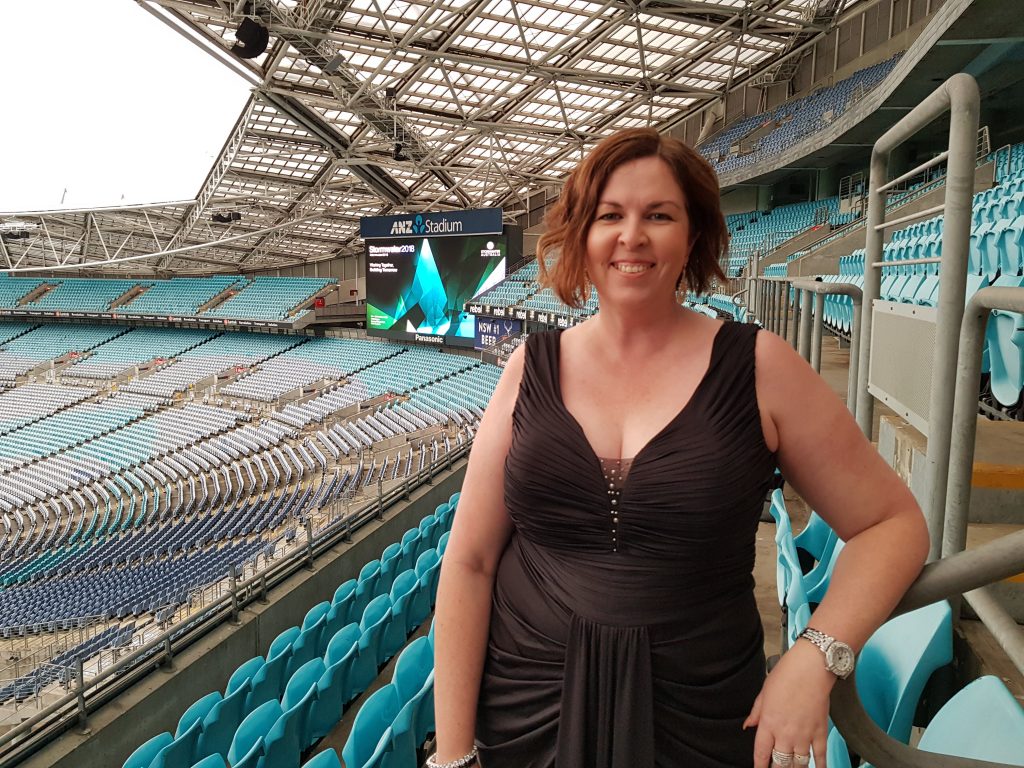
YMag – Why did you add events and social media services?
KF – Prior to my marketing management role I was a relations manager at the largest rugby league club in Queensland for eight years. I’d helped initiate, build and manage their digital and social media accounts to communicate with our National followers as well as players and families. Our platforms became integral in communicating with them about events on and off the field, weather, and so much more.
We tried out a variety of digital communication points to serve our fans and stakeholders. As a volunteer-based community however, it was easy for us to identify their potential as a marketing tool.
I was using Facebook from when it first launched, it became second nature to me. I had MySpace and various other accounts in my uni days, but nothing for business. Using Facebook specifically as a business tool was certainly not the intention or initial design.
I feel in love with the ability to ‘meet’ and reach others online with social media. But more than that, it because a way for me to sell tickets to events, invite people to support philanthropic activities and move them emotionally.
One year, I’d sold hundreds of tickets to a national rugby league game that had an extreme weather forecast. We had to scrap the event entirely as we weren’t able to bus the teams in due to flooding. Thanks to social media, we contacted thousands of fans preparing to travel through extreme conditions to watch their teams play. In less than 90 minutes, we’d been able to spread the word at three various levels of the game along with multiple other partnering sites who rallied to get the word out. It’s unfathomable to think just how many people will see your message.
It’s this passion and realisation of it’s power to assist business owners relay their message online, that meant I just had to have social media as a focus in my business.
Social media is also a key tool in Events Marketing. If you’re running an event – regardless of where, when or why – you must have an online presence for that event even if the event has no charge.
The events side of my business itself has been something that’s come naturally to me. I started managing events in the late 1990s and, with through career changes, my events experience also put me in a position to assist my employers along the way.
YMag – It sounds like you’ve been involved with lots of different event experiences, what are some of the most memorable ones?
KF – In 2016 I worked with the Queensland Police Service to launch a public campaign at a local sporting event. On the day we had police puppies, horses and the highway patrol cars all kitted out – combined with State Ministers, the Police Commissioner and various other government officials. It was a memorable occassion.
I enjoy providing clients with a different perspective. One of my client’s seminars are always held at a local pub, so guests can have a steak lunch with jugs of beer, allowing them to network more casually. Another client now has a successful trade component to their quarterly confrences, which has increased their revenue and built ongoing professional partnerships.
EVERY ONE OF MY CLIENT’S SUCCESSES IS MY SUCCESS – Kirsty Fields
YMag – Tell us about your workshops. What kind of programs do you offer?
KF – There’s different formats to my workshops, depending on the audience. I could be in a room full of managers from a franchise or particular industry or speaking at networking groups or conferences.
I run small group workshops a couple of times a year on various topics of social media and event planning. At the moment my most popular workshop topic is Content Creation. It’s where we sit in a quiet space and extract the business information from within you to recognise your original detailed content, ready to present online.
This year Canva, Instagram and LinkedIn are really popular too. Business owners are realising there are special techniques – hacks even, I love that word – they could understand to amplify their efforts in connecting with or attracting others.
YMag – Who are the people you work with in workshops?
KF – Most workshop attendees are sole traders in start-up and initial building phases of business. Having an intimate group scenario improves their comfort level as well as giving them a new opportunity to connect with their next collaborator or referral partner. Their incomes are yet to support outsourcing, but they are aware of the importance of activity online to create awareness and start new business friendships and collaborations.
I run my own events, just how I’d coordinate conferences, seminars or sales events for clients – bespoke in content and design.
YMag – What makes you passionate about what you do? What’s your Y?
KF – There’s something deep-seated in me about showing others that they don’t have to be rich financially to be rich in knowledge.
Further from that though you can have lots of knowledge, but I don’t believe everyone needs to “know it all”. I want to share with others what knowledge will be helpful to them, to make a difference in their businesses to help them succeed instead of overwhelming them with #allthethings. Let’s use what we need – not just what’s hot for a minute.
Every one of my client’s success, is my success.
There’s also something special about looking at the faces of those people who are attending events. They are there to inspire, educate and motivate themselves.
Corporate events can be different than coordinating “fun events” like weddings, engagement parties or 21st birthday parties. There’s almost always a strong educational element with workshops, seminars, trade expos and retreats. Though I attend a lot of events I always learn something new.
With my own events, I set a target for my delegates and guests to have more then one “light bulb moment”. I call it a “light bulb moment” because you see in the faces of these people when it happens – their eyes becomes wider and brighter, and it’s often joined by a smile. It’s a physical identifier to me that we’ve hit the mark – and it’s a priceless moment to me!
Plans for the Future…
My goals for the future are based on what I’ve learnt as a business owner. The first year was tough and I certainly couldn’t have survived without a second income in the house, but it taught me how to build a professional audience of my own, establish a referral network, connect with like-minded peers collaboratively and build a business from $1000. for 2019/2020, I’d like to show others how having a few dollars can create maximum impact and generate what success means to you.
My immediate goals as one of the 100 Small Business Digital Champions businesses from around Australia is to kickstart two online programs. One will support businesses with social media, and the other will support those looking to build their business using events. Social Ocean will be undergoing a digital transformation to support these programs and allow me to reach a national audience.
I don’t think I’m prepared to become an author – working with social media is always changing – so, by the time I published something, it’d be out of date. However, I have template booklets in the works. These are perfect for time-poor business owners who struggle to put time aside at the computer to plan their content.
It feels like a distant dream still, but I’d like the template booklets to lead into a social media planner for marketers, social media managers and business owners. There just isn’t one that combines social media with a great diary – it’s something I find myself searching for every November and December without success. I’d love to hear from other business owners if that’s something they feel would be useful.
An edited version of this interview was published in Issue 09 of YMag (July 2019).